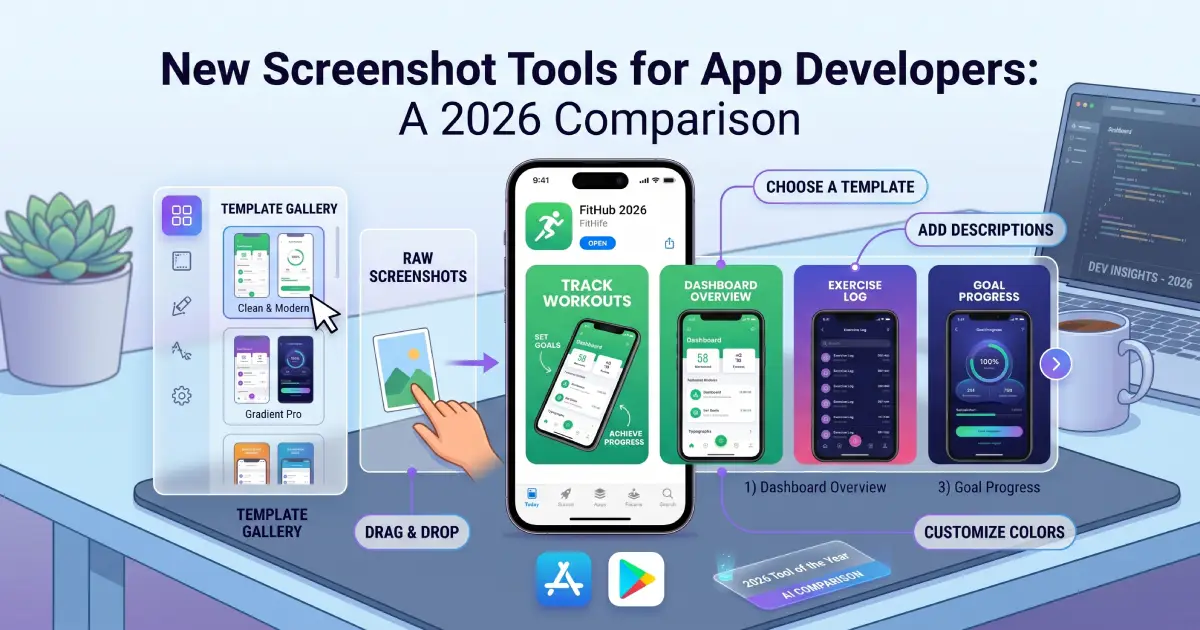
Creating compelling app screenshots is one of the most impactful things you can do for your App Store Optimization. Great screenshots convert browsers into downloaders. We know this topic well — we covered the fundamentals back in 2020, updated our tool overview in 2021, and most recently took a deep dive into AppScreens. The tooling landscape keeps evolving, and a fresh wave of screenshot tools has appeared since our last roundup. Time for a new comparison.
For context: once you have your screenshots ready, uploading them to the App Store and Google Play is a separate challenge entirely. Our App Store Manager handles that part — bulk upload, all languages, all resolutions, both stores. But first, you need the screenshots themselves. Let's look at what's new.
The Tools
ScreenFlow Studio Screenshot
ScreenFlow Studio Screenshot is a native macOS application distributed through the Mac App Store. Unlike web-based tools that run in a browser, it sits on your machine as a proper desktop app. The focus is on iOS screenshots, which makes sense given the Mac-first distribution. If you are already deep in the Apple ecosystem and prefer a desktop application over another browser tab, this is worth a look.
Screenshot.fit
Screenshot.fit is a web-based screenshot generator with a clean, no-fuss approach. You upload your raw app screens, pick a device frame and background, add your caption text, and export. The interface is straightforward and the learning curve is minimal. A good starting point if you want to get something done quickly without a lengthy setup.
ScreenshotOtter
ScreenshotOtter is another web-based option in this space. It focuses on simplicity and speed, helping developers wrap their in-app screens in polished device frames with supporting text. The tool is aimed at indie developers and small teams who need production-ready screenshots without a dedicated design workflow. On the Pro plan, it also handles localization into 40+ languages and can push screenshots directly to App Store Connect and Google Play Console — no ZIP download, no manual dragging per locale.
ScreenshotCraft
ScreenshotCraft positions itself as a modern screenshot creation tool with a strong emphasis on design quality. The app-style domain (screenshotcraft.app) signals it is trying to offer something closer to a polished product experience. Template variety and visual output quality are the main selling points here.
Koubou
Koubou takes a completely different approach. It is an open-source macOS project hosted on GitHub. If you are comfortable building and running software from source, Koubou gives you full control and costs nothing. It generates screenshots from YAML configuration and supports multi-language localization via Xcode's xcstrings format — so you can produce a full localized screenshot set without a subscription. This is the kind of tool that appeals to developers who prefer transparency, customization, and automation over a polished UI. Community-driven, no vendor lock-in.
ShotLingo
ShotLingo stands out by specifically addressing the localization angle. Creating screenshots in multiple languages is one of the most time-consuming parts of the entire ASO process — something we discuss at length in our earlier article. ShotLingo aims to streamline exactly that workflow, making multi-language screenshot sets more manageable. Given how many languages the App Store and Play Store support, this focus is genuinely useful.
Snapframe
Snapframe is another open-source contender on GitHub. Like Koubou, it is free to use and modify. It wraps app screenshots in device frames, covering the basic requirement most developers have. For budget-conscious developers or those who want to integrate screenshot generation into their own toolchain, open-source options like Snapframe and Koubou deserve a look.
Comparison at a Glance
| Tool | Type | Store | Localization | Pricing | Comment |
|---|---|---|---|---|---|
| ScreenFlow Studio Screenshot | macOS App |  |
 |
Paid (App Store) | Native macOS app, iOS-focused, no browser required |
| Screenshot.fit | Web |  |
|
Free / Paid | Clean and quick. Low barrier to entry |
| ScreenshotOtter | Web | |
 |
Free / Paid | Localization + direct store upload on Pro plan |
| ScreenshotCraft | Web | |
|
Paid | Strong design focus, modern templates |
| Koubou | macOS / Open Source | |
|
Free | Build from source, full control, multi-language via YAML |
| ShotLingo | Web | |
|
Paid | Localization-first approach, great for multi-language sets |
| Snapframe | Open Source | |
|
Free | Device framing, open source, integrates into custom workflows |
After the Screenshots: Upload Them Efficiently
Most of the tools above do not handle the upload step to the stores. One exception: ScreenshotOtter's Pro plan can push screenshots directly to App Store Connect and Google Play Console, including all localizations. For everything else — and for teams wanting a single upload workflow across all their apps — our App Store Manager covers the full picture. Pack your screenshots into a ZIP archive, upload, and the bulk import takes care of the rest. No manual drag-and-drop per language, per resolution, per store. If you are creating localized screenshots at scale, this matters.
Conclusion
The screenshot tooling space is noticeably more active than it was a few years ago. Web-based tools like Screenshot.fit, ScreenshotOtter, and ScreenshotCraft lower the barrier significantly — no installation, no setup, just upload and export. ScreenFlow Studio Screenshot caters to those who prefer native macOS tools and are primarily publishing on iOS. On the localization front, both ShotLingo and ScreenshotOtter address this directly — ShotLingo with an AI-translation-first approach, ScreenshotOtter by bundling localization and direct store upload into its Pro plan. Koubou also supports multi-language output via its YAML-based workflow. And for developers who want complete control and zero cost, the open-source options — Koubou and Snapframe — offer a viable alternative to any subscription.
None of these tools are a silver bullet. The right choice depends on how many languages you target, how much design flexibility you need, and whether you prefer a browser-based or desktop-native experience. What they all share is the goal of making a tedious process faster. Combined with the App Store Manager for the upload side, you have a solid end-to-end workflow: create with your tool of choice, upload in bulk with ours.
Anything missing from the list? Let us know — we keep updating these overviews as new tools emerge.